Google’s AI Pro Plan: Features, Pricing, and What It Means for Users

Google’s AI Pro Plan Explained

Google has expanded its artificial intelligence offerings with the launch of the AI Pro plan, a premium subscription designed for professionals, creators, and businesses that require more powerful AI capabilities. As competition in the AI market intensifies, Google’s AI Pro plan positions itself as a high-performance solution within the Google ecosystem.


What Is Google’s AI Pro Plan?

The Google AI Pro plan is a paid subscription tier that provides enhanced access to Google’s AI models, including advanced versions of Gemini AI, along with increased usage limits and priority performance.

Unlike free AI tools, the Pro plan focuses on productivity, reliability, and scalability, making it suitable for users who rely on AI for daily work.


Key Features of Google’s AI Pro Plan

Google’s AI Pro plan includes several benefits aimed at power users:

🚀 Advanced AI Models

Subscribers gain access to more capable AI models with improved reasoning, longer context windows, and higher accuracy for complex tasks such as coding, research, and data analysis.

📈 Higher Usage Limits

The Pro plan significantly increases prompt, file upload, and output limits compared to free tiers, allowing uninterrupted workflows for intensive projects.

🧠 Enhanced Productivity Tools

Google integrates AI Pro features across its ecosystem, including:

  • AI-assisted writing and summarization
  • Code generation and debugging
  • Data interpretation and spreadsheet analysis
  • Image and content generation tools

⚡ Priority Performance

Pro users benefit from faster response times and prioritized access during peak demand, ensuring consistent performance when it matters most.

Musk and Tesla 2025: Innovation, Challenges, and the Road Ahead

Meta Description:
Elon Musk’s Tesla continues to lead the EV market in 2025 with AI-driven vehicles, new factories, and global expansion plans — but faces growing competition and regulatory challenges. Here’s the latest Tesla news.


Tesla 2025: Musk’s Vision Moves Forward

Tesla CEO Elon Musk remains at the center of the global electric vehicle (EV) conversation as the company continues to expand production, advance autonomous driving, and explore new energy solutions. Despite market volatility and increased competition, Tesla in 2025 still leads the EV industry with innovation, scale, and ambition.

Musk’s latest statements suggest Tesla is pushing toward a fully autonomous driving system, powered by its advanced Full Self-Driving (FSD) software and custom-built Dojo supercomputer. This AI-driven infrastructure is designed to process massive amounts of real-world driving data, helping Tesla’s vehicles learn faster and safer than ever before.


New Models and Expanding Factories

Tesla’s production roadmap for 2025 includes new updates across its lineup:

  • Tesla Model 3 “Highland+” with improved range, quieter cabin, and upgraded design.
  • Tesla Cybertruck global rollout, after successful launches in the U.S. and Canada.
  • Next-Gen Tesla Model 2, an affordable compact EV rumored to be priced under $30,000.

At the same time, Tesla is accelerating construction at Gigafactories in Mexico and India, aiming to boost production capacity and reduce logistics costs. The company’s long-term goal is to reach 20 million vehicles per year by 2030, a milestone that would reshape the automotive industry.


AI, Robotics, and Energy Expansion

Beyond cars, Musk continues to push Tesla into AI and robotics. The Tesla Optimus robot project is progressing, with prototypes already performing warehouse tasks. Meanwhile, Tesla Energy is expanding its solar and Powerwall business, targeting sustainable energy adoption in both residential and industrial markets.

Tesla’s growing influence in the AI chip market through Dojo also signals Musk’s broader ambition — merging mobility, robotics, and renewable energy into one intelligent ecosystem.


Challenges Ahead

Despite its progress, Tesla faces increasing pressure:

  • Intensifying competition from BYD, Rivian, and traditional automakers’ EV divisions.
  • Regulatory scrutiny over FSD safety and autonomous driving claims.
  • Supply chain challenges related to lithium, nickel, and semiconductor production.
  • Investor concerns about Musk’s focus being divided among Tesla, X (formerly Twitter), SpaceX, and xAI.

Still, Tesla’s financial performance remains strong, with record revenues in 2025 driven by robust EV sales and energy storage deployments.


Final Thoughts

Elon Musk’s Tesla continues to define the future of transportation and sustainable energy. With its focus on AI innovation, manufacturing efficiency, and affordability, Tesla aims to stay ahead in a rapidly changing industry.

Whether through self-driving breakthroughs or next-generation EVs, Musk’s Tesla remains one of the most closely watched and influential companies shaping the modern world.

Tags:
Elon Musk, Tesla, Tesla News, EV Market, Electric Vehicles, Tesla Model 3, Tesla Cybertruck, Tesla AI, Tech News, Sustainable Energy

Lenovo IdeaPad Flex 5 (2023-2024) Deep Review: The Ultimate Budget 2-in-1?

Meta Description: Unbiased Lenovo IdeaPad Flex 5 review covering performance, battery life, display, pros/cons, and who should buy this budget 2-in-1 laptop. SEO-optimized analysis.


💡 Design & Versatility: More Than Just a Laptop

The Flex 5’s 360-degree hinge transforms it from laptop to tablet/tent mode, offering flexibility for studying, presentations, or media consumption. Though not the lightest (3.3–4.6 lbs), its soft-touch graphite gray or platinum chassis feels durable for the price. Ports impress with 2x USB-A, USB-C, HDMI 1.4b, and a full-size SD reader—a rarity in budget convertibles .

Drawback: Thicker than premium rivals like Dell XPS 13 2-in-1 (0.74″ vs. 0.58″).


🖥️ Display & Touch Experience: Brightness Woes, But Great Responsiveness

Most configurations feature a 14″ FHD (1920×1080) IPS touchscreen with accurate 10-point touch support. However, the 250-nit brightness is a key weakness—struggling in sunlit rooms 28. Higher-end models (2024) offer optional 2.2K/100% sRGB panels, significantly improving color accuracy .

  • Pen Support: Includes Lenovo Digital Pen (sold separately) with 4,096 pressure levels—ideal for note-taking or sketches .

⚡ Performance: Ryzen Power on a Budget

Equipped with AMD Ryzen 5/7 5000U/7000U series CPUs, the Flex 5 punches above its weight:

  • Multicore Dominance: Ryzen 5 5500U sustains 2.98 GHz @ 30W under sustained load, beating Intel i5 equivalents in video rendering.
  • Integrated Radeon Graphics: Handles light gaming (e.g., CS:GO at 40 FPS) and photo editing.
  • 16GB RAM + 512GB SSD: Standard on mid-tier models for smooth multitasking .

Cooling Note: Stays quiet under load, but keyboard temps hit 48.8°C during intensive tasks.


🔋 Battery Life & Charging: All-Day Potential

With a 52.5Wh battery, expect 11–13 hours of web browsing (120-nit brightness)—outlasting many Ultrabooks 13. Real-world use drops to 5–7 hours for video/office work.

  • Charging Limitation: Lacks USB-C charging on older models; requires proprietary barrel plug.

⌨️ Input & Audio: Typing Joy, Mediocre Sound

  • Keyboard: Backlit keys with 1.5mm travel and crisp feedback—reminiscent of pricier ThinkPads 38.
  • Touchpad: Smooth Mylar surface with precise tracking.
  • Speakers: Dual 2W drivers deliver “clear but thin” audio; lack bass for movies.

⚠️ Key Limitations

  1. Upgradeability: RAM is soldered; only one M.2 slot for SSD upgrades.
  2. Display Brightness: Base models dim for outdoor use.
  3. Gaming Capability: Struggles with AAA titles (e.g., Cyberpunk 2077) .
  4. Webcam: 720p with noisy images—rely on the physical privacy shutter for security.

🎯 Who Should Buy It? (And Who Shouldn’t)

Ideal For:

  • Students: Budget-friendly ($549–$849), durable, and versatile for lectures/notes.
  • Casual Creators: Handles Photoshop/Lightroom with Ryzen 7 + 16GB RAM.
  • Travelers: 360° modes adapt to planes/cafes; 13+ hr battery for flights .

Avoid If:

  • You need high brightness for outdoor work.
  • You’re a gamer or 4K video editor.
  • You require upgradeable RAM.

💰 Value Verdict: Best Budget 2-in-1?

Yes—with caveats. At $600–$800, the Flex 5 delivers exceptional versatility and Ryzen power unmatched by rivals like ASUS Vivobook S15 or Yoga C740 8. Its flaws (display, speakers) are typical for the price, but the hinge durability, pen support, and 16GB RAM configurations make it a steal for students and hybrid workers.

Deal Alert: Look for Prime Day/Black Friday sales where prices drop below $600 .

Alternatives:

  • For brighter displays: HP Envy x360 (400-nit).
  • For gaming: Acer Aspire 7 (GTX 1650).

Final Thought: The Flex 5 isn’t glamorous, but it nails the essentials: reliable performance, flexible usability, and survival-grade battery life. If your budget is tight but your needs aren’t, this 2-in-1 is a savvy buy 👍.

P.S. Always configure with 16GB RAM—the soldered memory makes future upgrades impossible! 

Tags: Lenovo IdeaPad Flex 5 review, budget 2-in-1 laptop, Ryzen 5 laptop, convertible laptop, student laptop, touchscreen laptop, Flex 5 battery life, Flex 5 gaming, laptop value comparison

Android Users Can Now Edit Messages Sent to iPhones via Google Messages – Here’s How

In a major step toward seamless cross-platform communication, Google has introduced a feature that allows Android users to edit messages sent to iPhone users through Google Messages. This update is part of a larger movement to improve the messaging experience between Android and iOS devices.

But how does this work—and why is it possible now?

Android Users Can Now Edit Messages Sent to iPhones via Google Messages – Here’s How

Why It’s Now Possible: The RCS and iMessage Shift

The short answer: RCS (Rich Communication Services) is becoming the new standard, and Apple is finally adopting it.

Apple announced that it will begin supporting RCS on iPhones in late 2024, allowing for improved communication between Android and iPhone devices. RCS offers features like read receipts, typing indicators, high-quality media sharing—and yes, message editing.

Until now, Android and iOS communication was limited to basic SMS/MMS, which lacked these modern features. With RCS, messages sent from an Android phone to an iPhone will go through a more advanced protocol, similar to iMessage, enabling enhanced features like editing.


How Android Users Can Edit Messages Sent to iPhones

Here’s how the editing feature works in Google Messages:

  1. Send a Message: Send your message as usual using Google Messages on your Android device.
  2. Long-Press to Edit: Tap and hold the message you want to edit. If it’s within the editable time window (usually a few minutes), you’ll see an “Edit” option.
  3. Make Changes: Tap “Edit,” rewrite the message, and press send.
  4. Updated for Both Sides: If the iPhone user is on the latest iOS with RCS support enabled, they will see the edited message, not the original version.

⚠️ Note: This feature only works if both users have RCS enabled and are using the latest versions of Google Messages and iOS.


What This Means for Messaging in 2025

This update marks a pivotal change in how Android and iPhone users communicate. It’s no longer just about emojis or reactions—features like message editing bring the two platforms closer than ever before.

This is also a big win for users tired of the “green bubble vs. blue bubble” divide, helping reduce friction in mixed-device conversations.


Final Thoughts

The ability for Android users to edit messages sent to iPhones is just the beginning. As RCS adoption grows, we can expect even more iMessage-like features to appear in Google Messages, creating a more unified messaging experience for everyone—regardless of the device they use.

All right reserved!

Meta Description: Android users can now edit messages sent to iPhones using Google Messages. Learn how this works with RCS and what it means for cross-platform messaging.

Tags: Android, Google Messages, iPhone, Message Editing, RCS, Cross-Platform Messaging, iMessage, Tech News 2025

From: https://www.batteryer.sg/blog

Microsoft Unveils AI-Powered Upgrades Across Windows and Office Suite in 2025 Update

Microsoft has officially rolled out its highly anticipated 2025 software update, introducing groundbreaking AI enhancements across Windows 11, Microsoft Office, and Teams. The update builds on the company’s “Copilot” initiative, bringing deeper integration of generative AI to streamline workflows and boost productivity for users worldwide.

Microsoft Unveils AI-Powered Upgrades Across Windows and Office Suite in 2025 Update

AI Copilot Expands Across Microsoft Products

In the latest update, Microsoft Copilot becomes even more intelligent and context-aware. Windows 11 users now have access to AI assistance embedded in the Start Menu, File Explorer, and Settings. Meanwhile, Office apps like Word, Excel, and PowerPoint offer new natural language prompts, auto-formatting, and data analysis powered by Azure OpenAI technology.

Key Features in the 2025 Update

  • Windows Copilot Sidebar: Now available natively across all modern Windows 11 devices, providing real-time suggestions, file summaries, and task automations.
  • Office 365 Smart Compose: AI-driven writing support, improved auto-correct, and content generation tools integrated directly into Word and Outlook.
  • Excel AI Charts & Forecasting: Users can now generate complex data visualizations and trend predictions with one click.
  • Teams AI Summaries: Meetings are automatically transcribed, summarized, and action items highlighted—saving hours of manual follow-up.

Global Rollout and Availability

The update is being pushed globally starting June 28, 2025, and will be available to all Microsoft 365 subscribers and Windows 11 users. Enterprise customers can enable features through Microsoft Endpoint Manager, while individual users will receive updates via Windows Update and Office Auto-Update.

Enterprise and Consumer Implications

This release reflects Microsoft’s long-term strategy to embed AI deeply into its ecosystem, enabling smarter workflows without steep learning curves. The new features especially benefit remote workers, data analysts, and content creators by reducing repetitive tasks and increasing efficiency.

Microsoft’s AI Strategy Going Forward

CEO Satya Nadella emphasized Microsoft’s commitment to “responsible AI” and announced further investments in Azure AI infrastructure, ensuring scalability and privacy. The company is expected to preview new developer tools and APIs at the upcoming Microsoft Ignite 2025 conference.


Conclusion:

Microsoft’s 2025 update represents a major leap forward in real-world AI integration. As user expectations evolve, the company remains focused on delivering intuitive, powerful, and secure AI solutions for both individual and enterprise users.

From: Marking Paint  https://www.marking-paint.com

Apple iOS 26: Features, Release Date, and Everything You Need to Know

Discover the new features of Apple iOS 26. Learn about the iOS 26 release date, device compatibility, Siri upgrades, and Apple Intelligence-powered tools. Stay updated with the latest iPhone software news.

Discover the new features of Apple iOS 26. Learn about the iOS 26 release date, device compatibility, Siri upgrades, and Apple Intelligence-powered tools. Stay updated with the latest iPhone software news.

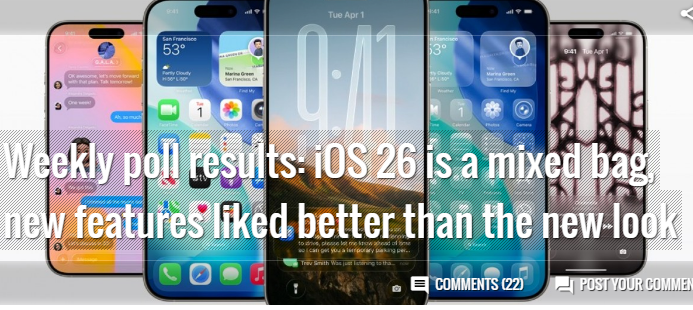
Apple continues to redefine mobile experiences with the announcement of iOS 26, its latest operating system for iPhones. Packed with AI-powered features, deeper personalization, and improved privacy, iOS 26 is designed to deliver a smarter and more seamless experience across all supported devices.

If you’re searching for the latest iOS 26 features, release details, and device compatibility, this blog post covers everything you need to know about Apple’s next-gen iPhone software update.


📅 iOS 26 Release Date

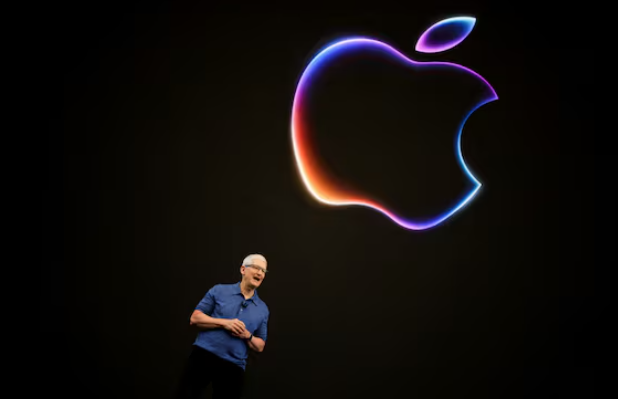
Apple officially unveiled iOS 26 during WWDC 2025 (Worldwide Developers Conference) on June 10, 2025.

Key iOS 26 Timeline:

  • June 10, 2025 – Developer Beta released
  • July 2025 – Public Beta expected
  • September 2025 – Final version to launch alongside iPhone 17

🔍 iOS 26 Key Features

Here are the top iOS 26 features that are getting attention:

1. Apple Intelligence (AI Integration)

iOS 26 is Apple’s first system-wide release with deep integration of its new Apple Intelligence suite.

  • Context-aware Siri with on-device processing
  • Smart Summaries in Mail, Notes, and Safari
  • AI-assisted photo editing
  • Natural language voice commands

2. Smarter Siri with ChatGPT Support

Siri now integrates ChatGPT-style capabilities to generate responses, summarize messages, and even write emails—all while preserving user privacy.

3. Revamped Control Center

Control Center in iOS 26 is now customizable. Users can rearrange, resize, and group controls for a more personalized experience.

4. Live Voicemail Translation

iOS 26 offers real-time voicemail transcription and translation, allowing users to read or hear messages in their preferred language instantly.

5. New Lock Screen Widgets and Styles

Apple brings enhanced lock screen customization:

  • Interactive widgets
  • Always-On Display improvements
  • AI-generated wallpapers

6. Focus Modes 2.0

A major upgrade to Focus Modes lets users schedule custom modes with smart automation based on time, location, or app activity.

7. Privacy and Security Enhancements

  • Private Cloud Compute ensures AI features don’t compromise personal data.
  • App Tracking Protection is stronger, with more user controls.

📱 iOS 26 Supported Devices

Apple maintains a strong support line for older devices. iOS 26 is compatible with:

  • iPhone 15 / 15 Pro / 15 Pro Max
  • iPhone 14 / 14 Pro / 14 Plus
  • iPhone 13 / 13 Mini
  • iPhone SE (3rd Gen)
  • iPhone 12 and newer

Note: Some AI features require A17 chip or later (iPhone 15 Pro+ and iPhone 16/17 series).


💡 iOS 26 for Developers and Power Users

For developers, iOS 26 opens new APIs for:

  • On-device AI tasks
  • Live Activities integration
  • Deep widget interactivity
  • Vision Pro continuity with iPhone apps

Tags:

iOS 26, Apple iOS 26 update, iOS 26 release date, iOS 26 features list, Apple Intelligence, Siri AI, iPhone 17, Apple WWDC 2025

News about WWDC: Apple faces AI, regulatory challenges as it woos software developers

News about WWDC: Apple faces AI, regulatory challenges as it woos software developers

Based on the latest reports surrounding Apple’s 2025 Worldwide Developers Conference (WWDC), the company faces significant challenges in AI innovation, regulatory pressures, and competitive threats as it seeks to retain developer loyalty. Here’s a synthesis of key developments:

⚙️ 1. AI Delays and Technical Shortcomings

  • Siri Upgrades Deferred: Major AI enhancements for Siri, promised at WWDC 2024, are delayed until 2026–2027 due to technical hurdles in integrating large language models (LLMs) without glitches. The overhaul aims to enable contextual understanding and app control but remains in early development 1910.
  • Limited AI Capabilities: Apple lacks a “multi-modal” AI model (processing imagery, audio, and language simultaneously), crucial for smart glasses. Current AI features rely on partners like OpenAI, while rivals (Google, Meta) advance standalone models 1410.
  • Critique of Competitors: Apple released research criticizing rivals (OpenAI, Anthropic) for AI models that “collapse” under complex reasoning tasks, deflecting scrutiny of its own delays 10.

⚖️ 2. Mounting Regulatory and Economic Pressures

  • App Store Challenges: Courts in the U.S. and EU are poised to dismantle App Store fees, threatening a core revenue stream. Former Apple supporters now question its 30% commission model 12.
  • Tariff Threats: President Trump’s proposed 25% tariff on iPhones produced outside the U.S. could force price hikes. Apple’s plan to shift production to India (not the U.S.) has drawn political backlash 14.
  • China Market Hurdles: Collaboration with Alibaba for AI features faced regulatory roadblocks, delaying Siri’s rollout in China 9.

📉 3. Competitive and Market Erosion

  • Hardware Gap: Competitors like Meta ($400 Ray-Bans) and Google are dominating affordable smart glasses, while Apple’s $3,500 Vision Pro remains a niche “showroom product” 124.
  • Stock Decline: Apple shares fell >40% since early 2025, underperforming Microsoft and Google. Investors cite AI lag, tariff risks, and service-business legal disputes 19.
  • Leadership Shakeup: AI chief John Giannandrea was replaced by Vision Pro head Mike Rockwell, signaling strategic confusion 9.

💻 4. WWDC Strategy: Design Over AI

  • UI/UX Revamp: iOS 19–visionOS will adopt unified “Glassmorphism” design (transparent, light-based elements), aligning interfaces across devices for consistency 579.
  • Limited AI Developer Tools: Opening Apple’s LLMs to third-party devs for writing tools/Genmoji, but no major Siri API or Gemini integration yet 79.
  • Naming Shift: OS versions rebranded by release year (e.g., iOS 26 for 2026) 79.

💎 Conclusion: A Pivotal Moment

Apple’s WWDC 2025 reflects a company prioritizing ecosystem cohesion (design, cross-device sync) amid AI catch-up struggles. As service head Eddy Cue admitted, “You must fight every day in tech. The iPhone might not exist in 10 years” 4. With rivals accelerating and regulators closing in, Apple’s ability to woo developers hinges on delivering credible AI progress—soon.

All right reserved!

https://www.batteryer.sg/blog

Apple’s latest MacBook Air M4s have never sold for less at up to $200 off

Apple’s latest MacBook Air M4s have never sold for less at up to $200 off

As of early June 2025, Apple’s latest MacBook Air M4 models are seeing notable discounts across various retailers, making it an opportune time to purchase. While the M4 models are receiving modest price cuts, previous-generation MacBook Airs with M2 and M3 chips are experiencing more substantial discounts, up to $200 off.


💻 MacBook Air M4 Deals

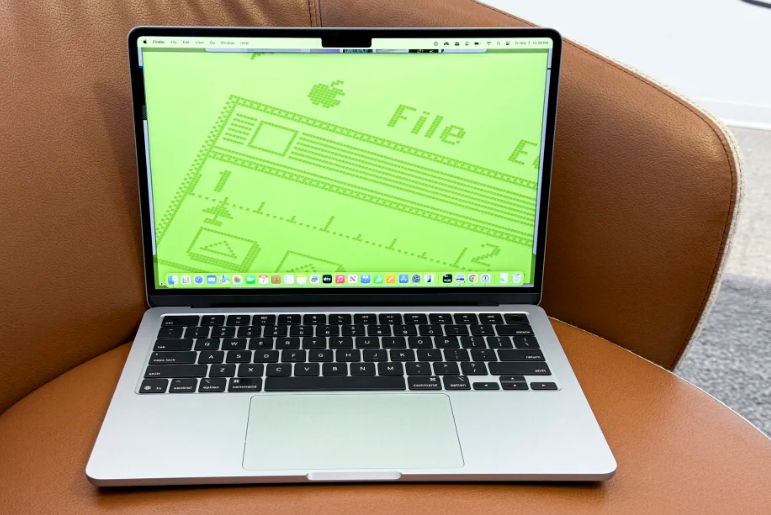
The M4 MacBook Air, released in March 2025, features Apple’s latest M4 chip, offering enhanced performance and efficiency. Current deals include:

  • 13-inch MacBook Air M4:
    • 16GB RAM, 256GB SSD: $949 (originally $999)
    • 16GB RAM, 512GB SSD: $1,149
    • 24GB RAM, 512GB SSD: $1,349
  • 15-inch MacBook Air M4:
    • 16GB RAM, 256GB SSD: $1,149
    • 16GB RAM, 512GB SSD: $1,349
    • 24GB RAM, 512GB SSD: $1,549

These discounts are available at retailers like Amazon and Best Buy.


💸 MacBook Air M2 and M3 Deals

For those considering previous-generation models, the M2 and M3 MacBook Airs are currently offered at significant discounts:

  • 13-inch MacBook Air M2:
    • 16GB RAM, 256GB SSD: $799 (originally $999)
  • 13-inch MacBook Air M3:
    • 16GB RAM, 256GB SSD: $899
  • 15-inch MacBook Air M3:
    • 16GB RAM, 256GB SSD: $1,099

These deals are available at retailers like Amazon and Best Buy.


🛍️ Where to Buy

These deals can be found at major retailers, including:

  • Amazon: Offers discounts on various MacBook Air models. theverge.com
  • Best Buy: Provides price reductions on M4 MacBook Airs, with additional benefits for My Best Buy Total members. laptopmag.com

🔍 Summary

While the latest M4 MacBook Airs are seeing modest discounts of up to $50, previous-generation M2 and M3 models are available at more substantial savings, up to $200 off. Depending on your performance needs and budget, opting for a discounted M2 or M3 model could offer excellent value.

From:
https://www.probatteryer.com/
https://www.probatteryer.com/blog/
https://www.batteryer.uk/blog
https://www.batteryer.sg/blog
https://www.batteryer.nz/blog/

The GeForce NOW Native App for Steam Deck Is Here

NVIDIA has officially released a native GeForce NOW app for the Steam Deck, significantly enhancing the handheld’s cloud gaming capabilities. This new application allows users to stream games at up to 4K resolution and 60 frames per second when connected to a TV, complete with HDR10, DLSS 4, and NVIDIA Reflex technologies for supported titles .

By leveraging RTX 4080-powered servers, Steam Deck users can experience high-end gaming performance, including ray tracing, while also benefiting from extended battery life—up to 50% longer compared to local gameplay . The native app simplifies the setup process, eliminating the need for previous browser-based workarounds .

With this release, Steam Deck owners gain access to over 2,200 supported games across various platforms, including Steam, Epic Games Store, Ubisoft, Battle.net, and Xbox libraries, with more than 180 supported PC Game Pass titles . This expansion allows for a broader gaming experience, including titles that were previously challenging to run natively on the device.

To install the GeForce NOW app on your Steam Deck, switch to Desktop Mode, visit gfn.link/download, download the installer, and follow the on-screen instructions . Once installed, the app will appear in your Steam Library, ready for use in Gaming Mode.

NVIDIA is also celebrating the launch with giveaways, including Steam Deck OLEDs, docks, and free GeForce NOW Ultimate memberships. For a chance to win, follow GeForce NOW on social media platforms like X, Facebook, Instagram, and Threads, and participate using the hashtag #GFNOnSteamDeck .

This development positions the Steam Deck as a more versatile gaming device, offering a seamless and enhanced cloud gaming experience through NVIDIA’s GeForce NOW service.

From:
https://www.probatteryer.com/
https://www.probatteryer.com/blog/
https://www.batteryer.uk/blog
https://www.batteryer.sg/blog
https://www.batteryer.nz/blog/